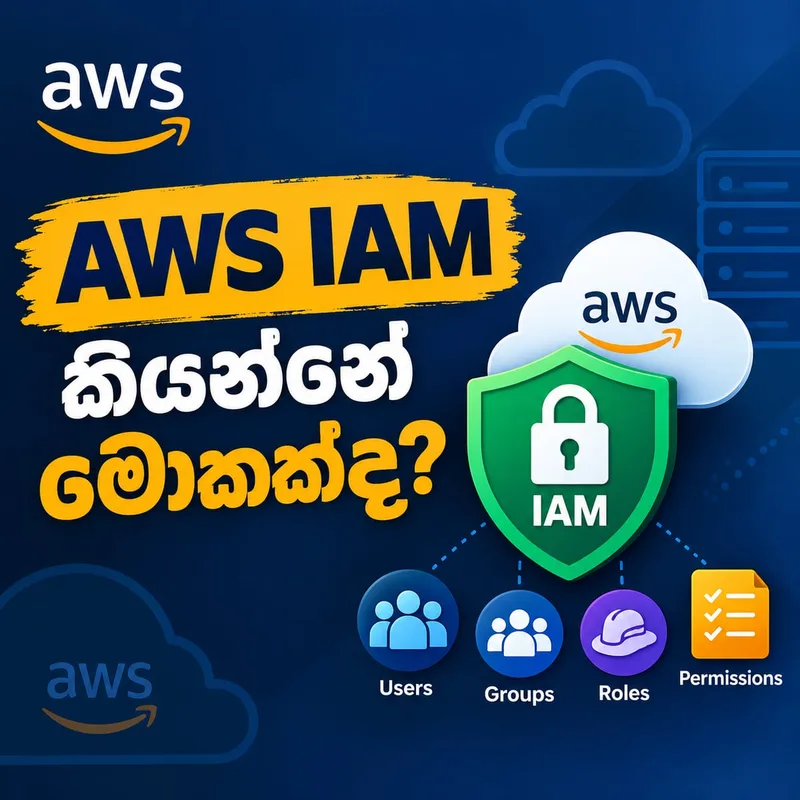
AWS IAM කියන්නේ මොකක්ද? – Cloud එකේ දොරවල් කාටද අරින්නේ කියලා තීරණය කරන Security Layer එක
හිතන්න…
ඔයාගේ AWS Account එකේ:
EC2 Servers තියෙනවා.
S3 Buckets තියෙනවා.
Databases තියෙනවා.
Customer Data තියෙනවා.
Production Applications තියෙනවා.
Backups තියෙනවා.
Company එකේ Developers 20 දෙනෙක් වැඩ කරනවා.
දැන් ලොකුම ප්රශ්නය:
හැමෝටම හැම දෙයක්ම කරන්න permission දෙන්න පුළුවන්ද?
Developer කෙනෙක්ට Production Database delete කරන්න පුළුවන් වෙන්න ඕනද?
Intern කෙනෙක්ට Billing Information බලන්න පුළුවන් වෙන්න ඕනද?
EC2 Server එකකට S3 Bucket එක access කරන්න AWS Access Key එකක් hard-code කරන්න ඕනද?
Definitely නැහැ.
Cloud Security වල ඉතාම වැදගත් ප්රශ්න තුනක් තියෙනවා:
“ඔයා කවුද?”
“ඔයාට මොනවා access කරන්න පුළුවන්ද?”
“ඔයාට ඒ resource එකට මොන action එක කරන්න පුළුවන්ද?”
AWS world එකේ මේ questions handle කරන ප්රධාන service එක තමයි:
AWS IAM
Identity and Access Management
IAM කියන්නේ මොකක්ද?
AWS IAM කියන්නේ AWS resources වලට access securely control කරන්න භාවිතා කරන service එක.
AWS අනුව IAM මගින් Authentication සහ Authorization දෙකම control කරන්න පුළුවන්.
Simple විදිහට:
Authentication
→ “ඔයා ඇත්තටම කවුද?”
Authorization
→ “ඔයාට මොනවා කරන්න permission තියෙනවද?”
මේ දෙකේ difference එක තේරුම්ගත්තොත් IAM වල half story එක already clear.
Office Building එකක් imagine කරන්න
හිතන්න Company එකකට secure office building එකක් තියෙනවා.
Main entrance එකේ security guard කෙනෙක් ඉන්නවා.
ඔයා ID Card එක පෙන්නනවා.
Security system එක check කරනවා:
“මේ person කවුද?”
මේක Authentication.
ඊට පස්සේ building එක ඇතුළට ගියාම…
Finance Room එකට යන්න පුළුවන්ද?
Server Room එකට යන්න පුළුවන්ද?
CEO Office එකට යන්න පුළුවන්ද?
මේවා decide කරන්නේ Permissions.
මේක Authorization.
AWS IAM එකත් roughly මේ වගේ.
AWS resources කියන්නේ rooms.
IAM identities කියන්නේ people හෝ workloads.
IAM Policies කියන්නේ:
“මේ personට මේ room එකට මේ action කරන්න පුළුවන්.”
කියන rules.
IAM වල ප්රධාන concepts
IAM තේරුම්ගන්න අපි මේ concepts ටික දැනගන්න ඕන:
Users
Groups
Roles
Policies
Permissions
MFA
Least Privilege
මුලින් complicated වගේ පේන්න පුළුවන්.
හැබැයි එකින් එක බලමු.
IAM User කියන්නේ මොකක්ද?
IAM User කියන්නේ AWS Account එක ඇතුළේ identity එකක්.
Historically developers, administrators හෝ applications සඳහා IAM users create කරන එක common approach එකක් වුණා.
උදාහරණයක්:
Company එකේ employees:
Kasun – Developer
Nimal – DevOps Engineer
Amali – Database Administrator
මේ අයට වෙන වෙනම permissions දෙන්න පුළුවන්.
Kasunට:
EC2 බලන්න.
Logs බලන්න.
හැබැයි Production Database delete කරන්න permission නැහැ.
Amaliට:
Database manage කරන්න.
හැබැයි Billing settings වෙනස් කරන්න permission නැහැ.
AWS IAM වල beauty එක මෙතන.
Everyone does not need Administrator access.
දැනට AWS human users සඳහා federation සහ IAM Identity Center වගේ approaches භාවිතා කර temporary credentials ලබාදීම recommend කරනවා; IAM users අවශ්ය use cases සඳහා least-privilege permissions එක්ක භාවිතා කරන්න පුළුවන්.
IAM Group කියන්නේ මොකක්ද?
හිතන්න Developers 30 දෙනෙක් ඉන්නවා.
හැම Developer කෙනාටම individually permissions add කරනවා නම්?
Mess එකක්.
Developer කෙනෙක් join වෙනවා.
Permissions add කරන්න ඕන.
Developer කෙනෙක් leave වෙනවා.
Permissions remove කරන්න ඕන.
Someoneට permission එකක් miss වෙන්න පුළුවන්.
ඒ නිසා Groups useful.
Example:
Developers Group
Read EC2
Deploy Applications
View Logs
DatabaseAdmins Group
- Manage Databases
SecurityTeam Group
- Security-related permissions
User කෙනෙක් Group එකකට add කළාම Group එකට තියෙන permissions ඔහුට apply කරන්න පුළුවන්.
AWS policies IAM users, groups සහ roles වැනි identities සමඟ associate කර permissions define කරන්න පුළුවන්.
IAM Policy කියන්නේ මොකක්ද?
IAM වල heart එකක් වගේ concept එක තමයි:
Policy
Policy කියන්නේ:
“කවුද මොන resource එකට මොන action එක කරන්න පුළුවන්ද?”
කියලා define කරන document එකක්.
AWS IAM policies බොහෝවිට JSON documents විදිහට represent කරනවා.
Example එකක්:
{
  "Effect": "Allow",
  "Action": "s3:GetObject",
  "Resource": "arn:aws:s3:::my-company-bucket/*"
}
මේක simple විදිහට කියන්නේ:
Allow this identity to read objects from this S3 bucket.
එච්චරයි.
Policy එකක important parts
සාමාන්ය policy statement එකක concepts කිහිපයක් තියෙනවා.
Effect
Permission එක:
Allow
ද?
Deny
ද?
Action
මොන action එකද?
Examples:
s3:GetObject
ec2:StartInstances
ec2:StopInstances
Resource
මොන resource එකටද?
Specific S3 Bucket එකක්ද?
Specific EC2 resource එකක්ද?
Database එකක්ද?
Policy එක කියන්නේ basically security rule එකක්.
Default එකේ permission තියෙනවද?
IAM වල powerful security idea එකක් තියෙනවා.
IAM user එකක් create කළා කියලා automatically AWS resources use කරන්න permissions ලැබෙන්නේ නැහැ.
Permissions explicitly grant කරන්න වෙනවා.
මේක security perspective එකෙන් ගොඩක් වැදගත්.
Idea එක:
“Need එක prove කරන්න. Permission එක එතකොට දෙන්න.”
Not:
“Everything දෙන්න. පස්සේ remove කරමු.”
IAM Role කියන්නේ මොකක්ද?
IAM ගැන ඉගෙනගන්නකොට ගොඩක් beginners confuse වෙන concept එකක්:
Role
Role කියන්නේ long-term credentials එක්ක permanently one personට attach වෙලා තියෙන identity එකක් වගේ නොවෙයි.
Role එක assume කරන්න පුළුවන්.
Human user කෙනෙක්ට assume කරන්න පුළුවන්.
AWS Service එකකට assume කරන්න පුළුවන්.
Application එකකට assume කරන්න පුළුවන්.
Cross-account access සඳහාත් roles use කරන්න පුළුවන්.
EC2 Server එකකට S3 Access ඕන නම්?
මේ example එක IAM Roles තේරුම්ගන්න perfect.
හිතන්න EC2 instance එකක application එකක් run වෙනවා.
Application එකට S3 Bucket එකෙන් images read කරන්න ඕන.
Beginner කෙනෙක් කරන dangerous mistake එකක්:
AWS Access Key එක create කරනවා.
Secret Key එක code එක ඇතුළේ දානවා.
AWS_ACCESS_KEY=...
AWS_SECRET_KEY=...
Application එක GitHub එකට push වුණොත්?
Credentials leak වෙන්න පුළුවන්.
Security nightmare.
Better solution එක:
IAM Role
EC2 instance එකට Role එකක් attach කරනවා.
Role එකට:
S3 read permission
දෙනවා.
Application එකට long-term access keys hard-code කරන්න අවශ්ය නැහැ.
AWS workload access සඳහා IAM Roles සහ temporary credentials භාවිතා කිරීම recommend කරනවා.
මේක Cloud Security වල beautiful pattern එකක්.
Machinesට secrets දෙන්න එපා, identity දෙන්න.
Role එක costume එකක් වගේ හිතන්න
Imagine කරන්න actor කෙනෙක්.
Normal life එකේ ඔහු ordinary person.
Stage එකට ගියාම Police Officer role එකක් play කරනවා.
Role එක use කරන time එකේ ඒ role එකේ authority තියෙනවා.
Stage එකෙන් බැස්සම role එක ඉවරයි.
IAM Role concept එකත් roughly එහෙම.
Identity එක temporary role එක assume කරනවා.
Role එකේ permissions use කරනවා.
Session එක ඉවර වුණාම temporary credentials expire වෙනවා.
Least Privilege කියන්නේ මොකක්ද?
IAM වල probably most important security principle එක:
Principle of Least Privilege
Meaning:
User කෙනෙක්ට හෝ workload එකකට තමන්ගේ task එක කරන්න අවශ්ය minimum permissions විතරක් දෙන්න.
AWS එකත් least privilege IAM best practice එකක් ලෙස recommend කරනවා.
Example:
Developer කෙනෙක්ට S3 Bucket එකෙන් files read කරන්න ඕන.
එයාට:
s3:*
දෙන එක?
Too much.
ඒකෙන් delete, modify සහ වෙන actions ලැබෙන්න පුළුවන්.
Need එක read විතරක් නම්:
s3:GetObject
වගේ required permission විතරක් දෙන්න.
“AdministratorAccess හැමෝටම දෙමු”
මේක easy.
Everything works.
Permission errors නෑ.
Developers complain කරන්නේ නෑ.
හැබැයි…
Security?
Disaster.
හිතන්න Developer account එක compromise වුණා.
Administrator permissions තියෙනවා.
Attackerට potentially:
Servers stop කරන්න.
Data delete කරන්න.
Security settings modify කරන්න.
New users create කරන්න.
Resources destroy කරන්න.
පුළුවන්.
ඒ නිසා security world එකේ:
Convenient ≠ Safe
Root User ගැන
AWS Account එක create කරනකොට Root User identity එක තියෙනවා.
Root userට account එකේ complete access තියෙනවා.
ඒ නිසා AWS root user එක everyday administrative work සඳහා use නොකරන ලෙස strongly recommend කරනවා.
Think about root account like master key.
Building එකේ හැම door එකක්ම open කරන්න පුළුවන් master key එක.
ඔයා ඒ key එක everyday pocket එකේ අරගෙන යනවද?
නැහැ.
Secure කරලා තියාගන්නවා.
Root account එකත් ඒ වගේ.
MFA – Multi-Factor Authentication
Password එකක් විතරක් තියෙන account එකක් imagine කරන්න.
Password එක leak වුණොත්?
Attacker login වෙන්න පුළුවන්.
MFA enable කරලා තියෙනවා නම් second verification factor එකක් ඕන.
උදාහරණ:
Authenticator app.
Security key.
AWS IAM best practices වල human access සඳහා MFA require කරන්න recommend කරනවා.
Simple idea එක:
Something you know
Something you have
Password එක leak වුණත් second factor එක attackerට නැති වෙන්න පුළුවන්.
Authentication vs Authorization නැවත බලමු
මේ දෙක interview වලත් ගොඩක් අහනවා.
Authentication
Who are you?
“මම Kasun.”
Okay.
Identity verify කරනවා.
Authorization
What are you allowed to do?
Kasunට EC2 read කරන්න පුළුවන්ද?
S3 delete කරන්න පුළුවන්ද?
Database modify කරන්න පුළුවන්ද?
Authentication correct වුණා කියලා everything access කරන්න permission ලැබෙන්නේ නැහැ.
Example එකක්
Company එකේ Developer කෙනෙක් AWS Console එකට login වෙනවා.
Login success.
Authentication complete.
දැන් EC2 instance එකක් stop කරන්න try කරනවා.
AWS IAM evaluate කරනවා:
User/Role කවුද?
Attached policies මොනවද?
Action එක මොකක්ද?
Resource එක මොකක්ද?
Request එක allow ද deny ද?
AWS විසින් authenticated principal එකට requested action එක requested resource එක මත perform කරන්න authorization තියෙනවද කියලා policy evaluation හරහා තීරණය කරනවා.
IAM Roles Cross-Account Access වලත් powerful
හිතන්න Company එකට AWS Accounts දෙකක් තියෙනවා.
Development Account
සහ
Production Account
Developer කෙනෙක් Development account එකේ වැඩ කරනවා.
Occasionally Production logs බලන්න ඕන.
Production account credentials separately share කරන එක වෙනුවට role-based cross-account access configure කරන්න පුළුවන්.
Developer trusted role එක assume කරනවා.
Temporary permissions ලබාගන්නවා.
Work එක කරනවා.
Session එක ඉවර වෙනවා.
Clean.
Secure.
Auditable.
IAM Roles cross-account access සඳහා AWS supported use case එකක්.
IAM Global Service එකක්
AWS Regions ගැන අපි කලින් කතා කළා.
EC2 instances වගේ resources Region-specific.
හැබැයි IAM traditional sense එකෙන් Region-specific resource service එකක් නෙවෙයි.
IAM configuration AWS Account level එකේ access control සඳහා භාවිතා වෙනවා.
ඒ නිසා IAM concepts design කරනකොට:
“මේ Region එකේ IAM user”
වගේ mental model එකකට යන්න එපා.
IAM කියන්නේ account-wide identity සහ access layer එකේ කොටසක්.
IAM Free ද?
AWS documentation අනුව IAM භාවිතා කරන්න separate charge එකක් නැහැ.
හැබැයි IAM වැරදි configure කරලා security incident එකක් වුණොත්?
Cost එක money වලින් විතරක් measure කරන්න බැහැ.
Data loss.
Downtime.
Reputation damage.
Compliance problems.
Security incidents.
ඒ නිසා IAM free service එකක් වුණත්…
එහි value එක priceless.
IAM Access Analyzer
Permissions manage කරනකොට තවත් useful AWS capability එකක් තමයි IAM Access Analyzer.
මේක policies analyze කරන්න සහ external/public access identify කරන්න උදව් කරනවා.
AWS best practices වල Access Analyzer භාවිතා කර access activity මත least-privilege policies refine කරන්නත් recommend කරනවා.
Security කියන්නේ එක දවසක policy එකක් create කරලා finish වෙන job එකක් නෙවෙයි.
Review කරන්න ඕන.
Unused permissions remove කරන්න ඕන.
Old roles remove කරන්න ඕන.
Credentials review කරන්න ඕන.
Access patterns බලන්න ඕන.
IAM වල biggest mistake එක
මට IAM එක ගැන එක line එකකින් beginners ලාට warning එකක් දෙන්න තිබ්බොත්:
“Don’t give more access than necessary.”
Application එකට S3 Bucket එකක් read කරන්න ඕන නම් entire AWS account access දෙන්න එපා.
Developer කෙනෙක්ට logs බලන්න ඕන නම් production infrastructure delete කරන්න permissions දෙන්න එපා.
User කෙනෙක්ට temporary access ඕන නම් permanent credentials create කරන්න ඉක්මන් වෙන්න එපා.
Security කියන්නේ:
Trust nobody
කියන එක නෙවෙයි.
Security කියන්නේ:
Trust appropriately.
IAM සහ Cloud Engineering
Some people IAM එක Security Engineers ලාගේ topic එකක් විතරක් කියලා හිතනවා.
නැහැ.
Cloud Engineer කෙනෙක්ට IAM deeply understand කරන්න ඕන.
DevOps Engineer කෙනෙක්ටත්.
Platform Engineer කෙනෙක්ටත්.
Software Engineer කෙනෙක්ටත්.
මොකද modern applications constantly AWS services එක්ක communicate කරනවා.
EC2 → S3
Lambda → DynamoDB
ECS → Secrets Manager
Application → SQS
CI/CD Pipeline → ECR
Kubernetes → AWS Services
මේ හැම connection එකකම question එක:
“Who is allowed to do what?”
IAM ඒ question එකේ center එකේ.
Simple Mental Model එක
IAM තේරුම්ගන්න මේක මතක තියාගන්න.
Identity
“Who are you?”
User හෝ Role.
Policy
“What rules apply?”
Permission
“What can you do?”
Resource
“What can you do it to?”
Role
“What temporary identity/permissions can you assume?”
Least Privilege
“Only what you need. Nothing more.”
Real Cloud Engineer කෙනෙක් හිතන්නේ කොහොමද?
Beginner:
“Permission denied. AdministratorAccess දෙමු.”
Experienced Engineer:
“Exactly මොන action එකට permission ඕනද?”
Beginner:
“Access key එක code එකට දාමු.”
Experienced Engineer:
“IAM Role use කරන්න පුළුවන්ද?”
Beginner:
“Everyoneට same access දෙමු.”
Experienced Engineer:
“Job function එකට අනුව access separate කරමු.”
මේ difference එක commands දැනගන්න එකේ නෙවෙයි.
Security mindset එකේ.
Imagine කරන්න…
Production system එකක් තියෙනවා.
Thousands of customers.
Sensitive data.
Millions worth business operations.
එක wrong permission එකක්…
One compromised credential…
One accidental delete command…
Sometimes enough.
ඒ නිසා IAM කියන්නේ AWS Console එකේ another menu item එකක් විතරක් නෙවෙයි.
IAM කියන්නේ:
AWS Account එකේ දොරවල්.
කාටද දොර අරින්නේ?
කොච්චර වෙලාවකටද?
මොන room එකටද?
ඇතුළට ගියාම මොනවා කරන්න පුළුවන්ද?
මේ හැම decision එකක්ම IAM ගැන.
අවසානයේ...
Cloud Security පටන් ගන්නේ Firewall එකකින් විතරක් නෙවෙයි.
Encryption එකකින් විතරක් නෙවෙයි.
Security Group එකකින් විතරක් නෙවෙයි.
ගොඩක් වෙලාවට Security පටන් ගන්නේ simple question එකකින්:
“Who has access?”
ඊට පස්සේ:
“Why do they have it?”
ඊටත් පස්සේ:
“Do they still need it?”
IAM අපිට technology එකක් විතරක් teach කරන්නේ නැහැ.
IAM අපිට responsibility එකක් teach කරනවා.
Access කියන්නේ privilege එකක්.
Need එකක් තියෙන තරමට විතරක් දෙන්න.
Temporary access පුළුවන් තැන permanent credentials avoid කරන්න.
Root user protect කරන්න.
MFA use කරන්න.
Roles use කරන්න.
Permissions regularly review කරන්න.
Most importantly:
Follow Least Privilege.
මොකද Cloud එකේ powerful resources build කරන්න පුළුවන්.
හැබැයි ඒ resources කාට control කරන්න පුළුවන්ද කියන එක හරියට design කරලා නැත්නම්…
ඒ power එකම risk එකක් වෙනවා.
Good Cloud Engineer කෙනෙක් resources create කරනවා.
Great Cloud Engineer කෙනෙක්:
හරි identity එකට, හරි resource එකට, හරි වෙලාවේ, හරි permission එක විතරක් ලබාදෙනවා.
ඊළඟ ලිපියෙන් අපි IAM එකේ තවත් practical topic එකක් බලමු:
“IAM Users, Groups, Roles සහ Policies – මේ හතර අතර ඇත්තටම වෙනස මොකක්ද?”
Real AWS examples එක්ක IAM architecture එකක් step-by-step තේරුම් ගමු.